Download the 8WWW App — Play Anywhere in Bangladesh
Get the full casino and sports experience on your Android phone. Install the 8WWW App in under two minutes — no browser needed, no lag, full access to crash games, slots, live casino and cricket betting.
File: www-8www.apk · v2.8.19 · 41 MB · Free · Android 6.0+
System Requirements & Version Details
Before you download, check that your phone meets the minimum specs. The 8WWW App is lightweight and runs smoothly on most mid-range Android devices sold in Bangladesh since 2018. It does not require root access or any special configuration.
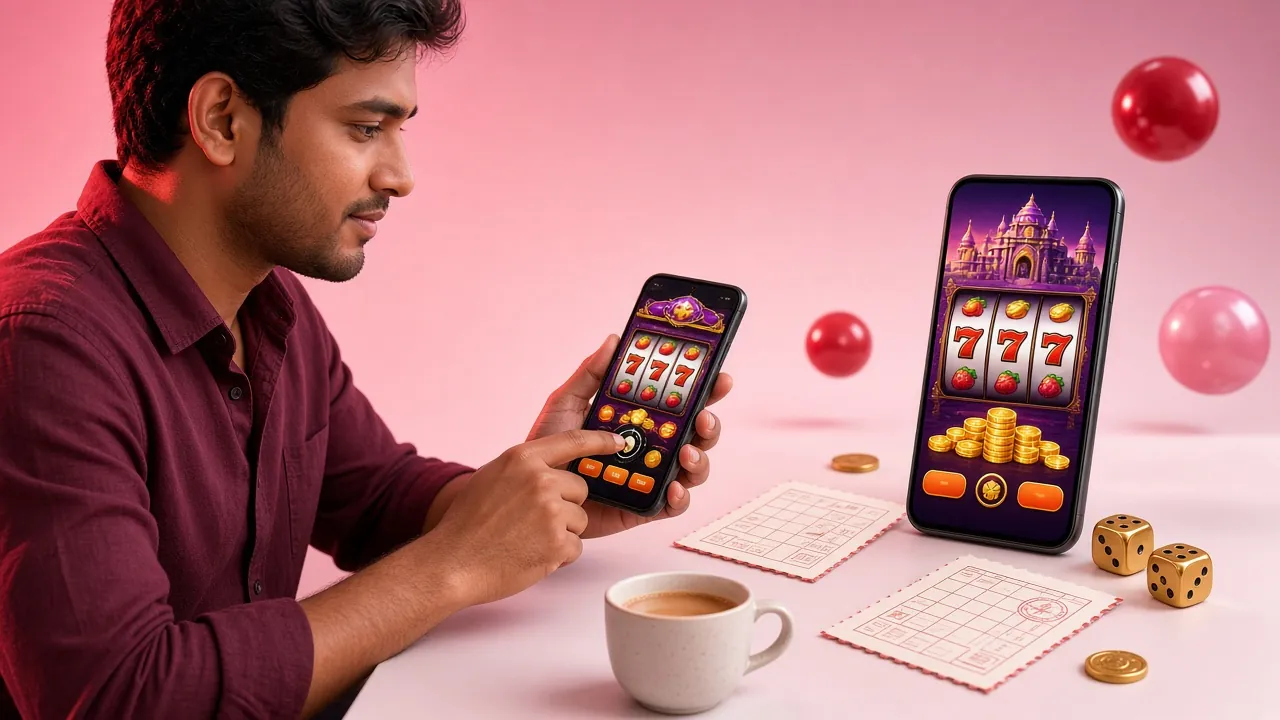
The app works on Samsung, Xiaomi, OPPO, Vivo, Realme and Symphony handsets commonly used in Bangladesh. If your phone has at least 1 GB RAM and Android 6.0, you are good to go. Wi-Fi or a 4G connection gives the best experience for live casino and crash games.
Get APK — FreeApp vs Browser — What Actually Changes?
You can play 8WWW through any mobile browser too, so why install the app? The table below shows the real differences. For everyday players who top up with bKash and jump into crash games during cricket breaks, the app delivers a noticeably tighter experience.
If you are on iPhone or iPad, skip to the iOS section below — the browser version works well on Safari. Android users will find the APK worth the two-minute install.
What Can You Play Inside the App?
The app gives full access to everything on the platform — over 5,600 games across six categories. You are not getting a stripped-down mobile version; this is the complete lobby in a 41 MB package.
Slots
Spin titles from PG Soft, Red Tiger, CQ9 and JDB. Mahjong Ways, Fortune Ox, Go Rush and dozens more load in seconds over 4G. Bet from ৳1 per spin.
Live Casino
Evolution and Sexy Gaming tables stream directly to your phone. Roulette, Baccarat and Blackjack with real dealers — push notifications alert you when a seat opens.
Crash Games
Monster Crash is built for mobile — tap to cash out before the multiplier falls. The hardware-accelerated animation runs smoother in the app than in any browser.
Sports Betting
Bet on cricket (BPL, IPL, Asia Cup), football and kabaddi. Live odds update in real time. Place your bet from the stadium or during Dhaka rush hour.
Fishing Games
Treasure Boat Fishing and Bingo Fishing from PG Soft. Tap to aim and shoot — the touch controls feel natural on a 6-inch screen. Min bet just ৳1.
Deposit & Withdraw
Top up with bKash, Nagad, Rocket, Upay or bank transfer without leaving the app. Deposits clear in about 2 minutes; withdrawals in roughly 4 minutes.


How to Install the 8WWW App on Android
Android blocks APK files from outside the Play Store by default — you need to allow unknown sources once. The process takes about two minutes total. Follow these five steps exactly to avoid the common "install blocked" error.
-
1
Allow installation from unknown sources
Open your phone's Settings, go to Security (or Privacy on newer Android), and enable "Install unknown apps" for your browser or file manager. On Samsung phones this is under Settings → Apps → Special app access → Install unknown apps. You only need to do this once; you can turn it off again after installing.
-
2
Download the APK file
Tap the Download APK button on this page. Your browser will save
www-8www.apk(41 MB) to your Downloads folder. If your mobile data is slow, connect to Wi-Fi first — the download finishes in well under a minute on a standard 4G connection. -
3
Open the downloaded file
Pull down your notification bar and tap the completed download, or open your file manager and go to Downloads. Tap
www-8www.apk. Android will show an installation screen listing the permissions the app needs — these are standard for a gaming app (network access, notifications, storage). -
4
Tap Install and wait
Hit Install and the system will unpack and install the app in about 15–20 seconds. You will see a confirmation screen. Tap Open to launch immediately, or find the 8WWW icon on your home screen. The app does not need a restart or any additional setup after install.
-
5
Log in or create your account
If you already have an account, enter your username and password on the login screen. New players can tap Register inside the app — the sign-up form takes about 90 seconds to complete. After logging in, you can deposit via bKash or Nagad immediately and claim your first deposit bonus.
Ready to download?
Tap below to get the official 8WWW App APK. Free, no ads, no hidden charges.
Download APKVersion 2.8.19 · Android 6.0+ · Updated 14 Nov 2026
Scan to download on your phone
Point your camera at the code above
iPhone & iOS Users — Add to Home Screen
Apple does not allow sideloading APK files. The easiest way to get a shortcut on your iPhone is to add the website as a home screen app through Safari. It opens full-screen without the browser toolbar.
- Open Safari and go to www-8www.biz.
- Tap the Share button (the box with an arrow pointing up) at the bottom of the screen.
- Scroll down and tap "Add to Home Screen".
- Name it 8WWW and tap Add in the top-right corner.
- The icon will appear on your home screen. Tap it to open the site in a full-screen view — it behaves like a native app.
Is the 8WWW App Safe to Install?
Downloading an APK file outside the Play Store always raises fair questions. Here is a clear breakdown of what the app can and cannot access on your phone, and the security measures built into the platform.
Encrypted Connection (TLS/SSL)
All data between the app and our servers travels over TLS 1.3 encryption. Your login credentials, deposit details and personal information are never sent as plain text. The same standard is used by Bangladesh's major banks. Look for the padlock icon in your browser if you ever log in through the web version as a cross-check.
App Permissions — Only What Is Needed
The app requests three standard Android permissions: Internet access (required to load games), Notifications (optional — for match and bonus alerts) and Storage (to cache game assets for faster loading). It does not access your contacts, SMS, camera or location. You can review permissions anytime under Android Settings → Apps → 8WWW.
Download Only from This Page
Only download the APK from www-8www.biz/www-8www-app/. Third-party APK hosting sites may distribute modified versions with added code. The official file is always named www-8www.apk. If you are ever unsure, delete the file and re-download from this page directly.
Keeping the App Updated
The app will notify you inside the lobby when a new version is available. Updates fix bugs, improve game stability and occasionally add new payment options. Tap the update banner, download the new APK and install it over the existing version — your account data, balance and preferences carry over automatically. No need to uninstall first.
Common Installation Problems and How to Fix Them
If the APK install is not going smoothly, the problem is almost always one of the five issues below. Check the matching fix before contacting support — most are resolved in under a minute.
Still stuck? Our 24/7 Live Chat team can walk you through the install in real time. Tap the chat icon inside the app or on the website.
Questions Players Ask About the App
Answers to the most common questions about downloading, installing and using the 8WWW App on your Android phone.
Is the 8WWW APK file safe to download?
Why can't I find the 8WWW App on the Google Play Store?
How do I update the app when a new version comes out?
Does the app work on iPhone or iPad?
Can I deposit with bKash directly inside the app?
What happens to my account if I uninstall the app?
Do I get the same welcome bonus through the app as on the website?
Get the 8WWW App on Your Phone Now
One download, every game, instant deposits. The full casino in your pocket — crash games, live tables, cricket betting and more. Already have an account? Just log in. New player? Registration takes about 90 seconds.